

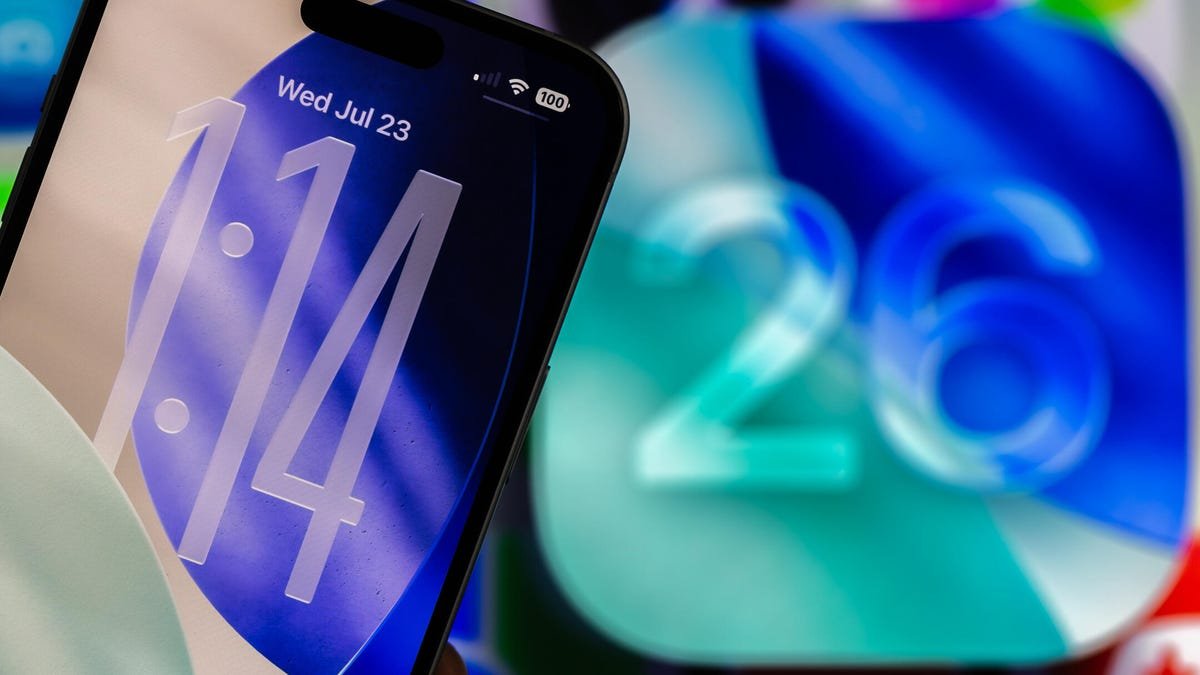
Apple released the fifth public beta of iOS 26 on Aug. 25. The beta brought a handful of new features, like the ability to screen incoming calls and a new Liquid Glass design, to the iPhones of developers and beta testers. The update also lets you customize your lock screen in more ways than you could with iOS 18.
When Apple released iOS 18, that update let you remove and change the controls on your lock screen. This was great if you found yourself accidentally pressing your flashlight control when putting your phone back in your pocket. And with the iOS 26 beta, you can move your lock screen widgets, increase the size of your clock and give your lock screen wallpaper a 3D spatial effect.
Here’s how to bring these changes to your lock screen and what to know about each.
Don’t forget, Apple is still beta testing iOS 26. That means the update might be buggy for you and your device’s battery life may be affected so it’s best to keep those troubles off your primary device. If you want to try out the beta, I recommend downloading it on a secondary device.
It’s also possible that Apple could adjust these lock screen options, and other update features, before the final version of iOS 26 is released this fall.
Don’t miss any of our unbiased tech content and lab-based reviews. Add CNET as a preferred Google source.
Change the size of your lock screen’s clock
The biggest change iOS 26 brings to your lock screen is the ability to change the size of your clock. The expanded clock takes up about a third of my iPhone 16 Pro’s screen at most, which I love because if I place my phone on a table I can easily see the time, even without my glasses. But you have to enable the bigger clock.
Here’s how to expand the clock on your lock screen.
1. Tap Settings.
2. Tap Wallpaper.
3. Tap Customize under the lock screen you want to adjust.
Your iPhone will show you that lock screen and all the adjustable elements will be outlined. Your clock has a thicker tab in the bottom right corner of its outline. Tap and drag this down to expand your clock to your desired size.
Then, you can tap the clock and choose whether you want the clock to have a Glass or Solid design, and you can adjust the color and thickness of the clock, too. But, after changing the size of the clock, you can’t change the font. Only the far left clock font can be expanded for now, but maybe Apple will expand this to other fonts in a future iOS update.
Your lock screen’s widget dock can have a new home
Another change iOS 26 brings to your lock screen is the ability to move the lock screen’s widget dock. The update lets you place the dock near the bottom of your lock screen right above your controls.
To move your lock screen’s widget dock, go to Settings > Wallpaper and tap Customize under the lock screen you want to adjust. Then, tap and drag the widget dock to the bottom of your lock screen.
If you expand your lock screen’s clock, your widget dock will automatically be placed near the bottom of the screen and you can’t place it anywhere else on your screen.
Spatial effects come to wallpapers
Your lock screen’s wallpaper also gets a fun, 3D effect that Apple calls a spatial scene. When enabled, spatial scenes add depth to elements in your wallpaper — and pictures — making them appear like they are popping out at you. As you move your iPhone around you, those elements will move, too.
To turn your lock screen wallpaper into a spatial scene, go to Settings > Wallpaper and tap Customize under the lock screen you want to work with. Tap the hexagon near the bottom right side of your screen, and your iPhone will make the wallpaper a spatial scene.
It’s important to note spatial scenes only work with photos and not the wallpapers Apple provides, like those under the Weather and Emoji collections.
Controls get some color
A pretty small change iOS 26 brings to your lock screen is it changes the color of the controls near the bottom of your screen. This change is enabled automatically in iOS 26 so you just have to add a colorful control, or create your own, to bring a pop of color to your lock screen.
Make your lock screen your own
Apple has slowly loosened its grip on your iPhone’s lock screen, giving you more freedom to customize its appearance and how you use it over the years. And iOS 26 is no different.
Being able to expand your clock, move the widget dock to more than one position and being able to give your wallpaper a 3D effect are just a few ways iOS 26 lets you create your own experience on your iPhone. These features could be improved upon — like giving you more freedom in where you can place your widget dock — but I expect Apple to keep adding ways you can customize your iPhone’s lock screen in the future.
For more iOS news, here are my first impressions of the beta version of iOS 26, how to enable call screening in the beta and all the new features Apple said it will bring to your device later this year. You can get an early view of the upcoming iPhone features with our iOS 26 cheat sheet.
Watch this: Apple Will Reveal the iPhone 17 Soon. Here’s What We Want
05:23
