
Close Menu

    Subscribe to Updates

    Get the latest creative news from FooBar about art, design and business.

    What's Hot

    Condemned to plutocracy? The relentless rise of US inequality | US income inequality

    ‘A genuine wildlife emergency’: everything you need to know about the arrival of H5 bird flu in Australia | Environment

    ICO watchdog opens inquiry into cameras in mental health patients’ bedrooms | Mental health

    Facebook X (Twitter) Instagram
    Facebook X (Twitter) YouTube LinkedIn
    Naija Global News |
    Sunday, June 21
    • Business
    • Health
    • Politics
    • Science
    • Sports
    • Education
    • Social Issues
    • Technology
    • More
      • Crime & Justice
      • Environment
      • Entertainment
    Naija Global News |
    You are at:Home»Technology»I Won’t Split AirPods With My Wife Again Thanks to This iPhone Trick
    Technology

    I Won’t Split AirPods With My Wife Again Thanks to This iPhone Trick

    onlyplanz_80y6mtBy onlyplanz_80y6mtAugust 13, 2025003 Mins Read
    Share Facebook Twitter Pinterest LinkedIn Tumblr Email
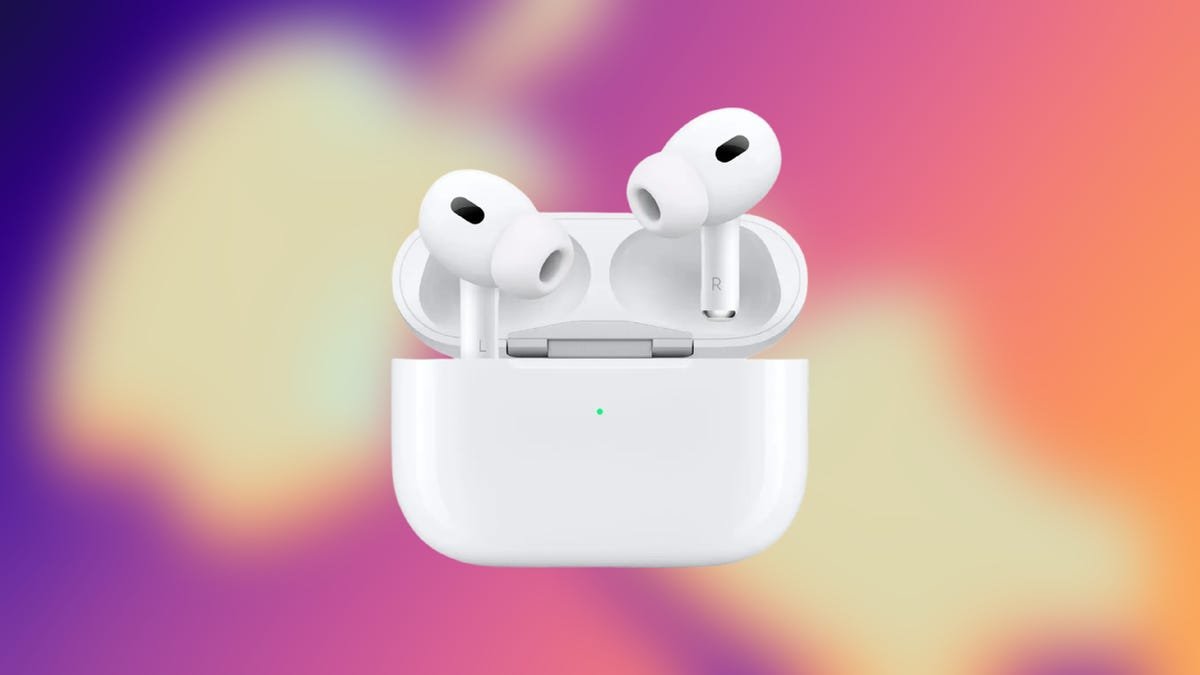
    Apple AirPods Pro 2 earbuds on Apple Black Friday CNET background
    Apple/CNET
    Share
    Facebook Twitter LinkedIn Pinterest Email

    When my wife and I travel, we usually download some shows to watch on our flight. But we always have to split a set of AirPods when we watch these shows. That means one of our ears is enjoying the show while the other is forced to endure the crying baby behind us on the plane, which can be distracting. But thanks to Apple’s Audio Sharing feature, we can each enjoy a show together while using our own sets of AirPods, AirPods Pro or other headphones. 

    Audio Sharing was introduced with iOS 18 and iPadOS 18 in 2024. It allows two pairs of compatible AirPods or Beats headphones to pair with a single iPhone or iPad. So you and another person can immerse yourselves into music, movies or a TED Talk without disturbing those around you.

    Here’s how to share audio with another set of AirPods or Beats headphones.

    How to enjoy music and podcasts together 

    You can share your audio with another pair of headphones by tapping your own headphone control. 

    Apple/Screenshot by CNET

    1. Open Music, Podcasts, Spotify or any similar app with your AirPods in your ears and connected to your iPhone or iPad.
    2. Start playing music or a Podcast.
    3. Open your Control Center by swiping down from the top right corner of your screen. 
    4. Go to your audio controls page — it’s your second Control Center page by default.
    5. Tap the AirPods logo near the bottom of your screen.
    6. Tap Share Audio.
    7. Bring the other pair of AirPods in their case or Beats headphones near your device. You might need to press the button on the back of your AirPods case to go into Pairing Mode. 
    8. Tap Share Audio when your device detects the other AirPods or Beats headphones. 

    You can control the volume of both headphones from the connected device.

    Apple

    Each pair of headphones can change their own volume via headphone controls, or you can change the volume for each pair via the connected device. But you’ll be able to enjoy a podcast or other music together without splitting a pair of AirPods or disturbing people around you. 

    How to watch a movie or show with separate headphones

    Pairing another set of headphones to your device to watch a film or TV series is similar. Here’s how. 

    1. Open Apple TV, Netflix, YouTube or another streaming app with your headphones in. 
    2. Start playing a film or show. 
    3. Swipe down from the top right corner of your screen to open your Control Center. 
    4. Go to your audio controls page — it’s your second Control Center page by default.
    5. Tap the AirPods logo near the bottom of your screen.
    6. Tap Share Audio.
    7. Bring the other pair of AirPods in their case or Beats headphones near your device. You might need to press the button on the back of your AirPods case to go into Pairing Mode. 
    8. Tap Share Audio when your device detects the other AirPods or Beats headphones. 

    Tapping Share Audio will let you connect to another set of headphones so you and another person can listen or watch something together on the same screen.

    Apple/Screenshot by CNET

    Now you and another person can watch a video together without disturbing the people around you and without splitting a pair of AirPods. 

    For more iOS news, here are my first impressions of the iOS 26 beta, how to enable call screening in that beta and all the new features Apple said it will bring to your device later this year.

    Watch this: Apple Has Nothing to Fear With AI

    06:40

    AirPods iPhone split Trick wife Wont
    Share. Facebook Twitter Pinterest LinkedIn Tumblr Email
    Previous ArticleWeek 1 NFL survivor pool picks, advice, strategy: Top NFL expert reveals knockout pick, teams to avoid
    Next Article NHS patients: have you seen or been the victim of violence during long waiting times in A&E? | NHS
    onlyplanz_80y6mt
    • Website

    Related Posts

    I’ve tested Caraway’s nontoxic, trendy cookware for years. Here’s what food influencers won’t tell you | Food

    June 16, 2026

    Wife of Briton pleads for Saudi Arabia to release him from ‘arbitrary detention’ | Saudi Arabia

    May 14, 2026

    Advisers urge JP Morgan investors to vote to split chair and CEO positions | JP Morgan

    May 11, 2026
    Add A Comment
    Leave A Reply Cancel Reply

    Top Posts

    The science influencers going viral on TikTok to fight misinformation

    February 17, 20262 Views

    Watch Lady Gaga’s Perform ‘Vanish Into You’ on ‘Colbert’

    September 9, 20251 Views

    Advertisers flock to Fox seeking an ‘audience of one’ — Donald Trump

    July 13, 20251 Views
    Stay In Touch
    • Facebook
    • YouTube
    • TikTok
    • WhatsApp
    • Twitter
    • Instagram
    Latest Reviews

    At Chile’s Vera Rubin Observatory, Earth’s Largest Camera Surveys the Sky

    By onlyplanz_80y6mtJune 19, 2025

    SpaceX Starship Explodes Before Test Fire

    By onlyplanz_80y6mtJune 19, 2025

    How the L.A. Port got hit by Trump’s Tariffs

    By onlyplanz_80y6mtJune 19, 2025

    Subscribe to Updates

    Get the latest tech news from FooBar about tech, design and biz.

    Most Popular

    The science influencers going viral on TikTok to fight misinformation

    February 17, 20262 Views

    Watch Lady Gaga’s Perform ‘Vanish Into You’ on ‘Colbert’

    September 9, 20251 Views

    Advertisers flock to Fox seeking an ‘audience of one’ — Donald Trump

    July 13, 20251 Views
    Our Picks

    Condemned to plutocracy? The relentless rise of US inequality | US income inequality

    ‘A genuine wildlife emergency’: everything you need to know about the arrival of H5 bird flu in Australia | Environment

    ICO watchdog opens inquiry into cameras in mental health patients’ bedrooms | Mental health

    Recent Posts
    • Condemned to plutocracy? The relentless rise of US inequality | US income inequality
    • ‘A genuine wildlife emergency’: everything you need to know about the arrival of H5 bird flu in Australia | Environment
    • ICO watchdog opens inquiry into cameras in mental health patients’ bedrooms | Mental health
    • ‘A child goes to bed and doesn’t wake up’: the families left in shock after the sudden death of their healthy children | Health
    • ‘It’s Russian roulette’: alarm as Europe backs critical minerals mines in water-stressed regions | Mining
    © 2026 naijaglobalnews. Designed by Pro.
    • About Us
    • Disclaimer
    • Get In Touch
    • Privacy Policy
    • Terms and Conditions

    Type above and press Enter to search. Press Esc to cancel.