

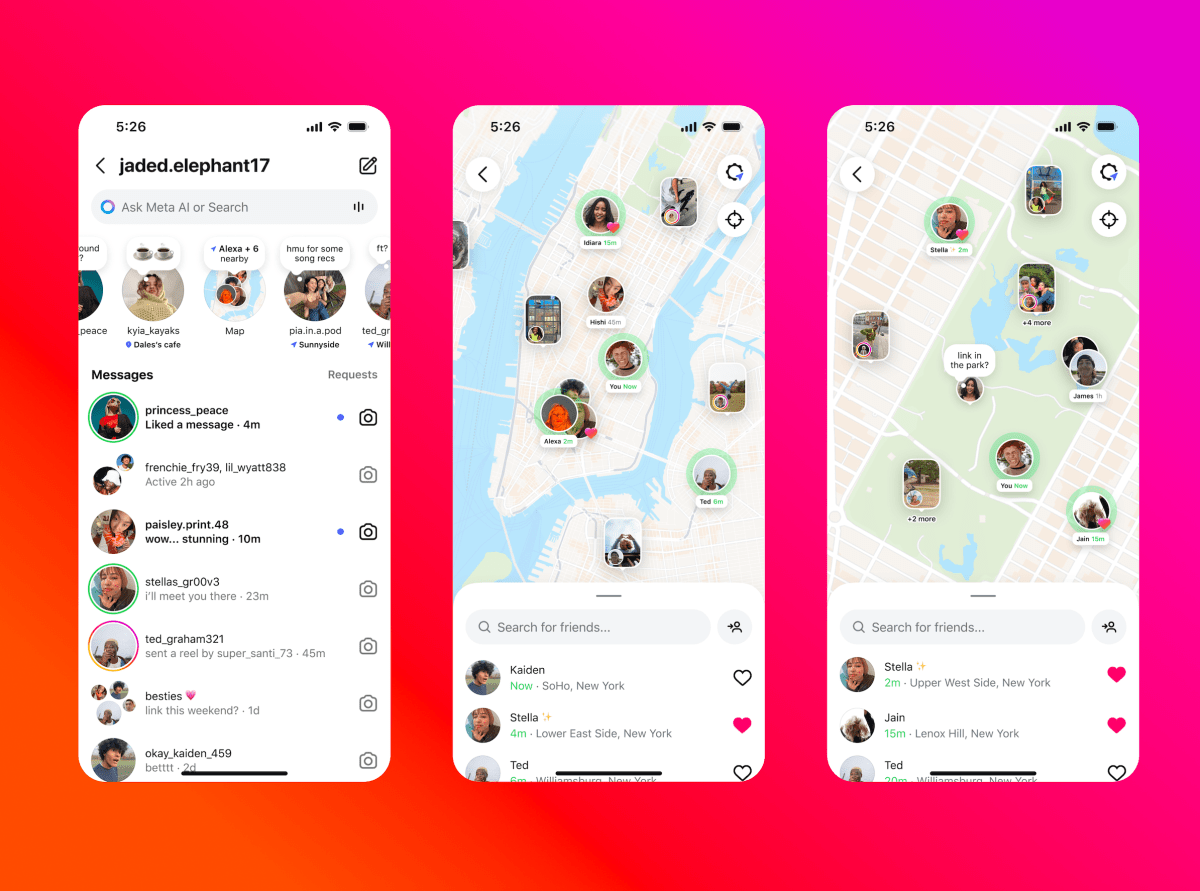
Following Wednesday’s launch of Instagram’s new Snap Map-like opt-in “Instagram Map” feature — which lets U.S. users share their most recent active location with others and discover location-based content — Instagram head Adam Mosseri is having to reassure people that their location is only visible to others if they decide to share it. Although Meta has made it clear that location sharing is off by default, there have been numerous posts on social media urging users to turn off location sharing, incorrectly claiming that it’s automatically turned on.
“We’re double checking everything, but so far it looks mostly like people are confused and assume that, because they can see themselves on the map when they open, other people can see them too,” Mosseri said in a Threads post. “We’re still checking everything though to make sure nobody shares location without explicitly deciding to do so, which, by the way, requires a double consent by design (we ask you to confirm after you say you want to share).”
Mosseri also said that some people are “confused” about how the feature works. For instance, people are accessing the feature and then seeing the map populated with the location information of some users. This is because the feature automatically pulls in location tags from recently posted Stories or Reels that include a tagged location.
It’s worth noting that this isn’t new, as Instagram already had location tags visible to users in its map view. However, the new Instagram Map feature makes this information a lot easier to access. The new feature might make you rethink whether you want to post your Stories and Reels with location tags (especially if you’re still at the location).
If you turn on your location on Instagram Map, your location only updates when you open the app or have it running in the background, meaning it doesn’t provide continuous, real-time location updates. This is different from Snap Map, which lets users choose whether their location is updated only when they open the app or in real time.
For those who want to ensure their location is turned off on Instagram Map, we’ll walk you through the steps below.
How to access Instagram Map
Image Credits:Instagram
To access the new feature, you need to navigate to your DMs page (direct messages) and tap the new “Map” option at the top. If it’s your first time accessing the feature, you’ll likely see a pop-up message notifying you about the new Map.
The pop-up will tell you that no one can see your location until you share it with them, and that you can change your settings at any time.
How to set your location-sharing preferences
Image Credits:Instagram
The first time you open Map, you will see a page that reads “Who can see your location.” From there, you can choose to share it with your Friends (followers you follow back), your Close Friends list, select users, or no one.
To change your preferences, you need to click on your profile, tap the settings option in the top-right corner, select the “Story, live and location” option, and then tap the “Location sharing” button. Here, you will be able to change your settings.
Note that if you have location sharing turned off, others can still share their location with you, which means you’ll be able to see them on the Map.
How to use Instagram Map
When you open the app, you will see the locations of friends who have shared their location with you. You will also see location-based Stories and Reels from people you follow.
For example, if your friend attended a nearby music festival and posted a story while there, it will appear on the map. Similarly, if a creator you follow posts a reel about a new restaurant in your city, you’ll be able to discover it on Instagram Map.
You will still see location-based content on the Map even if you have your location turned off.
You also can leave short, ephemeral messages, or “Notes,” on the map for others to see. Instagram Notes are the short messages that currently appear at the top of your direct messaging feed, but with the launch of Instagram Map, you will now see these posts on the map if they’re shared with a location.
This story was updated with new information.
